
Semantic Search Help
Here are some examples to help you take advantage of the power of semantic search.
These examples are in order of sophistication, so please follow them one after another.
Firstly: imagine you would like to know “What are the main topics addressed by MP. X. in 2012?”
Click on the following link to move on to the second, more sophisticated example “I am working on food hygiene, what is the political position of the Assembly?”
1.
On navigating to the semantic search page,
you will see the following search prompt at the top of the page, similar to that found in other search engines.

2.
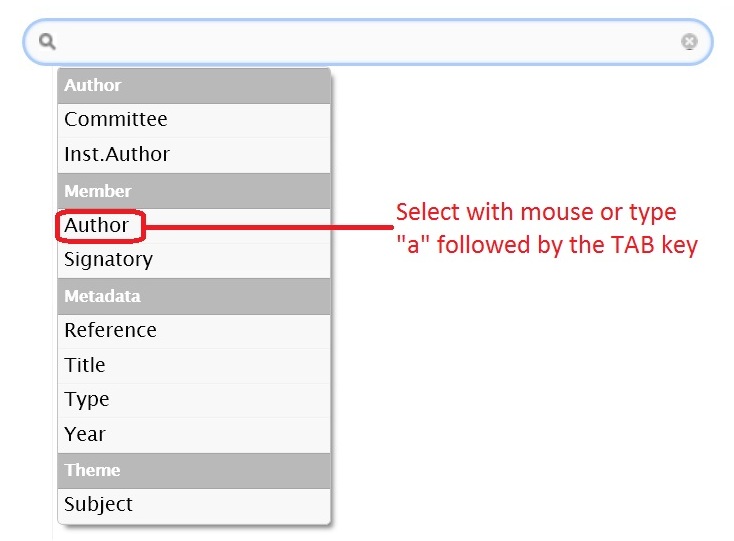
Placing the cursor in the search prompt, a list of possible criteria appear.
All you have to do is select “Author” from the list or type the first characters from the chosen criteria,
followed by the TAB key.
3.
Once a criteria like “Author” is chosen,
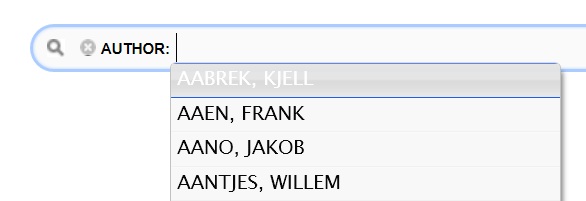
you are presented with a list containing the values possible for that criteria.
Again, you can choose from the list using the cursor,
or type the first few characters from your choice and press the TAB key once you reach your preferred choice.
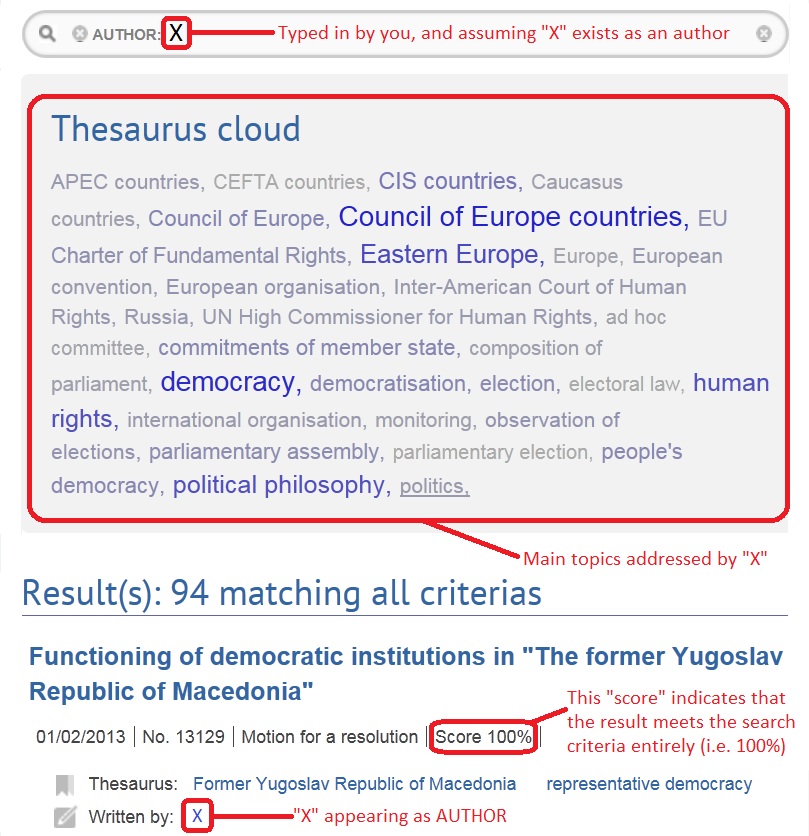
4. Here, we choose the imaginary author “X”,
but note that no such author exists. No results would normally be retrieved, but for the sake of example,
we assume that X has authored a number of documents.
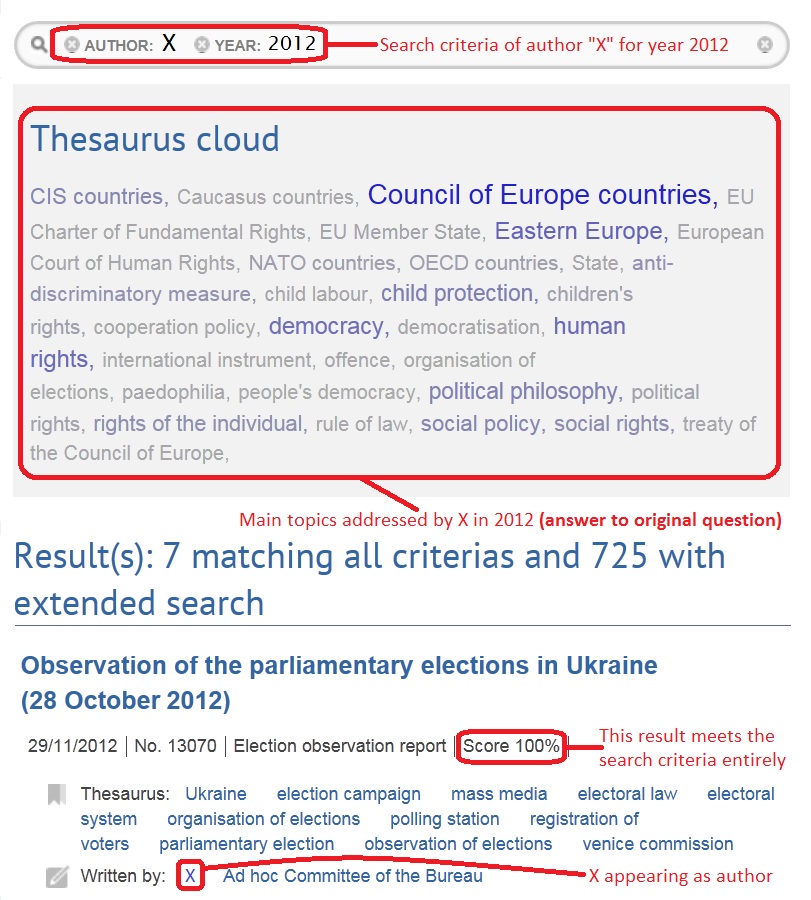
Now, in the red box “Thesaurus cloud” can be seen the main topics addressed by X. The size and weight of the text gives a visual clue as to the importance X gives to the topic in their documents. But the search can be further refined..
Now, in the red box “Thesaurus cloud” can be seen the main topics addressed by X. The size and weight of the text gives a visual clue as to the importance X gives to the topic in their documents. But the search can be further refined..
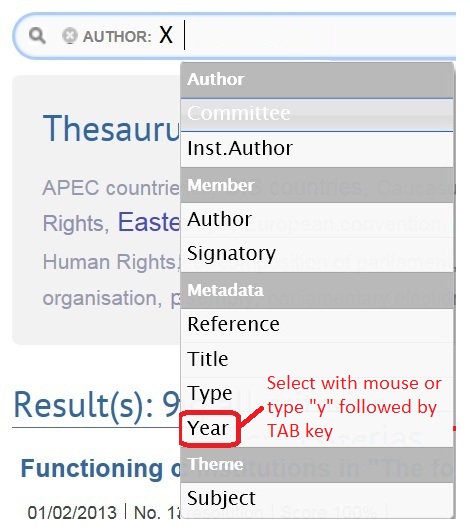
5. The search prompt invites you to choose another criteria.
In this example case, the year is to be chosen. It can be chosen by selecting “Year” from the list,
or typing “y” followed by the TAB key.
Note, “Author” could just as easily have been chosen again here,
narrowing the search to documents with more than one author.
6.
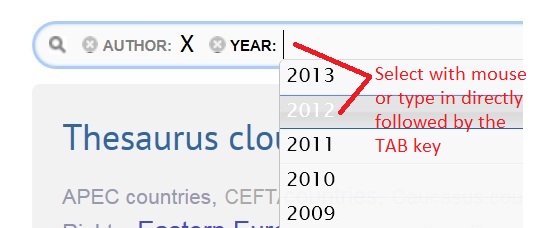
As was the case for the author criteria, a list of possible values for the year is presented for your choice.
You can choose with the mouse or type in the year directly, pressing the TAB key once complete.
Although only one item can be selected, the same criteria can be repeated as many times as you wish,
as described for “Author” above.
7.
The answer to the question “What are the main topics addressed by MP. X. in 2012?”
has now been answered in the thesaurus cloud shown in the red box below.
It is followed by a list of documents with a percentage indicating to what extent
the document matches the search criteria (highest first).
Note, clicking on any of the topics in the thesurus cloud, will add that topic to the search criteria
END OF EXAMPLE.
Click on the following link to move on to the second, more sophisticated example “I am working on food hygiene, what is the political position of the Assembly?”